※ This page contains promotional (affiliate) links.
🤖 This English article was translated from the original Japanese with AI assistance. Prices, plans, and procedures change, so please confirm the latest details on each provider’s official website before you decide.
eSIM or pocket Wi-Fi? For most travelers heading to Japan with a recent phone, the eSIM wins. You set it up at home and you’re online the moment you land. Pocket Wi-Fi still makes more sense when several of you are sharing one connection, or when your phone can’t take an eSIM at all.
That choice matters more here than you might expect, especially at the theme parks. At Tokyo Disney Resort and Universal Studios Japan, the official apps handle wait times and entry to the busiest areas. At Tokyo Disney Resort the app also covers mobile ordering, and it can display the ticket you scan on the way in. Arrive offline and you’re doing the whole day the hard way.
Japan gives you four ways to get connected: eSIM, pocket Wi-Fi rental, physical SIM card, and free Wi-Fi. This guide walks through all four in plain language, even if this is your first trip. Here’s what we’ll cover:
- Why a connection is close to mandatory at Japan’s big theme parks, and exactly what stops working without one
- eSIM, pocket Wi-Fi, SIM cards, and free Wi-Fi side by side, with who each one actually suits
- A quick “which one is right for me?” guide by travel style
- What to check on your phone before you fly
Let’s take them one at a time.
- Why staying online matters for a Japan theme park trip
- Comparing the four ways to get online in Japan
- So which should you pick? Choosing by travel style
- Recommended eSIM & booking services for trips to Japan
- Pre-departure checklist
- Frequently asked questions (FAQ)
- Q. My phone doesn’t support eSIM. What now?
- Q. Do I need a Japanese phone number, or is data enough?
- Q. Can I just sort this out at the airport when I land?
- Q. Is there free Wi-Fi at Tokyo Disney Resort, and do I need a password?
- Q. Is free Wi-Fi safe to use in Japan?
- Q. How much data do I actually need per day?
- Summary | Sort your connection out once, then stop thinking about it
- More English guides on Tabibito Port
Why staying online matters for a Japan theme park trip
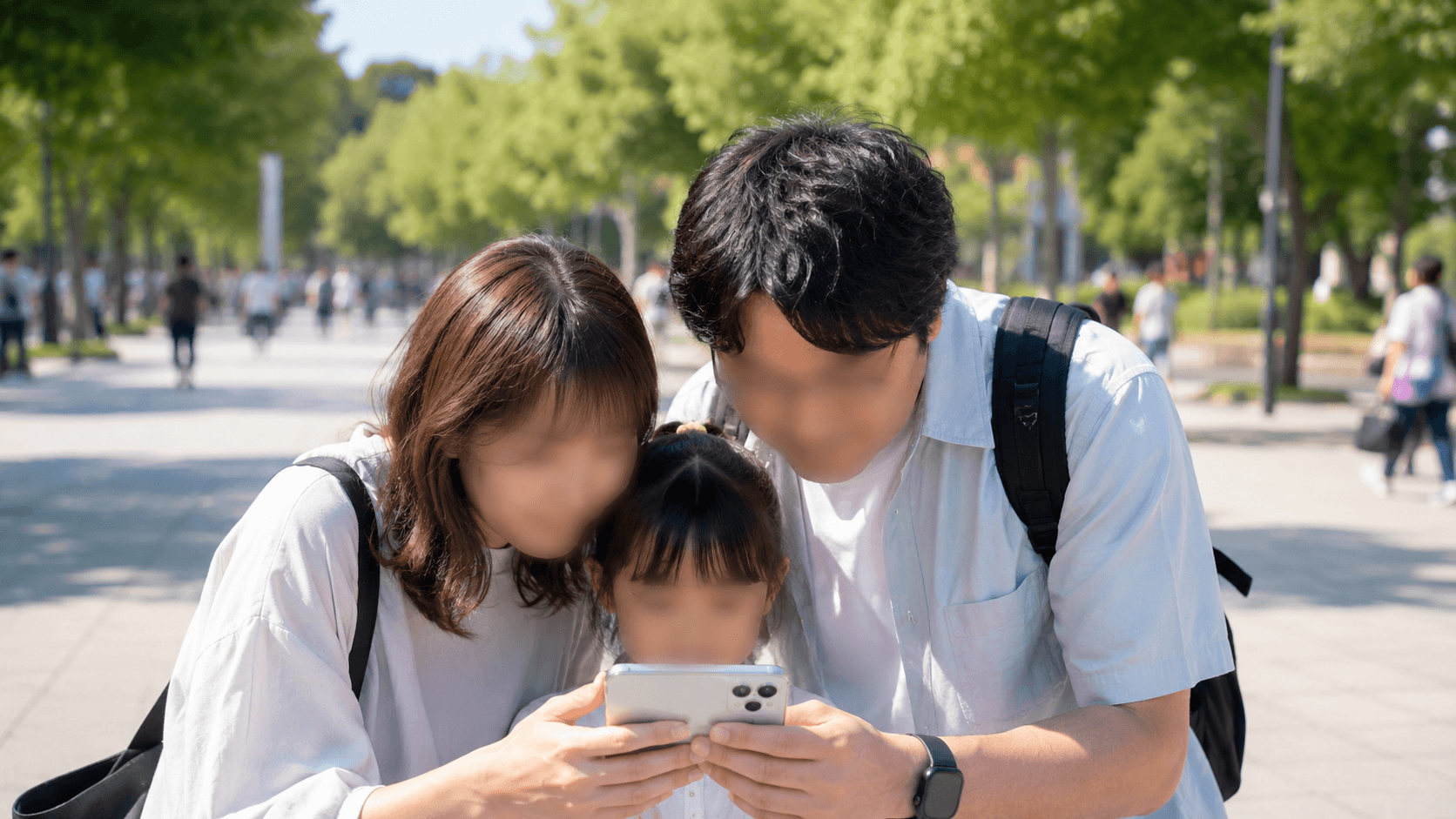
Wait times, entry passes, food orders: at Japan’s big parks, the day gets planned on a phone screen
Japan’s biggest parks have quietly moved most of the day into their own apps. Wait times, entry to popular areas, food orders, and in some cases the admission ticket itself now live on your phone. Holding a ticket isn’t the whole story anymore. An offline phone can leave you in the wrong line at the wrong time.
Disney, USJ, and LEGOLAND all run on their apps
- Tokyo Disney Resort: The official app covers ticket purchases and advance bookings for attractions, restaurants, and other experiences. It also shows wait times and your current location in the park, and it can display the ticket you scan on the way in. Two details catch travelers out. First, certain functions require registration and log-in to a MyDisney Account, so it’s worth creating one before you fly. Second, the official site states the app is not compatible with some devices, such as tablets and iPads. Some functions also need your device’s GPS turned on. Once you’re inside, Disney Premier Access (a paid option), Standby Pass, entry for shows and character greetings, and Disney Mobile Order all run through the same app. Source: Tokyo Disney Resort official app, as of August 2026.
- Universal Studios Japan: Timed Entry Tickets and Standby Entry Tickets for the busiest areas come from the official app, but there’s a step before that. You first scan the QR code on your park admission ticket, either a Studio Pass or an Annual Pass, to register it. That means allowing the app to access your camera. Only then can you get an entry ticket for the area you want and go in at your assigned time. USJ’s own advice is to register admission tickets before you enter the park, and you can register the tickets of everyone you’re traveling with at the same time. Source: Universal Studios Japan official, timed entry tickets, as of August 2026.
- LEGOLAND Japan: The app does more than plan your day. The official feature list covers a Day Planner, an Interactive Park Map that navigates you around, show times with an alert before each one starts, and special offers. It also has Live Queue Times, which you can check from inside or outside the park with location permission. And it sells tickets: the official page says LEGOLAND Japan tickets can be bought through the app so you can enter smoothly. That last one is exactly why the connection comes first. The same page is blunt: internet access is required for the app. It also asks you to use the app where the signal is strong, and notes that wait times and availability are a reference, not a guarantee. Source: LEGOLAND Japan official app, as of August 2026.
Add map navigation, menu and signage translation, and a QR code you need at exactly the right moment, and the picture is clear. At the parks, plan as though being online is non-negotiable.
Comparing the four ways to get online in Japan
Four options, four very different trade-offs. Here’s how eSIM and pocket Wi-Fi stack up against the two older choices.
| Option | Pros | Cons | Best for |
|---|---|---|---|
| eSIM | Buy and install before you fly, then switch it on when you land / nothing extra to carry, charge, or return / no counter to find on arrival | Your phone has to support eSIM / a few setup screens to work through / most travel plans are data-only, so no phone number | Solo travelers and couples with a recent phone who want to land already connected |
| Pocket Wi-Fi | One rental covers several phones, tablets, and laptops at once / works with any device, eSIM-capable or not / one connection shared across the group | One more thing to carry, charge, and hand back / the battery has to survive a full park day / everyone has to stay within range of whoever is holding it | Families and groups, and anyone whose phone can’t take an eSIM |
| SIM card | Slot it in and you’re running / available at major airports once you arrive / no advance sign-up needed | You have to remove and safely store your home SIM / your phone must be SIM-unlocked / swapping back means finding that tiny card again | Travelers with a non-eSIM phone who still want a single-device setup |
| Free Wi-Fi | No cost / fine for a quick check when you’re already sitting still | Connecting can be fiddly / speeds sag when a crowd shows up / what you send can be read by others without the right precautions / drops the moment you start walking | Backup only, not the connection your day depends on |
Free Wi-Fi is genuinely useful, but it comes with a caveat. Japan’s Ministry of Internal Affairs and Communications warns that without the right precautions, what you send over a wireless network can be read by others. Its short manual for public Wi-Fi users comes down to three habits. Check the access point you’re connecting to. Make sure you’re on the correct URL and that it’s using HTTPS, and turn off file and folder sharing on your device. Source: Ministry of Internal Affairs and Communications, using Wi-Fi safely, in Japanese.
Rather than hoping a public network holds up at the exact moment you need it, it’s worth having one connection that belongs to you.
So which should you pick? Choosing by travel style
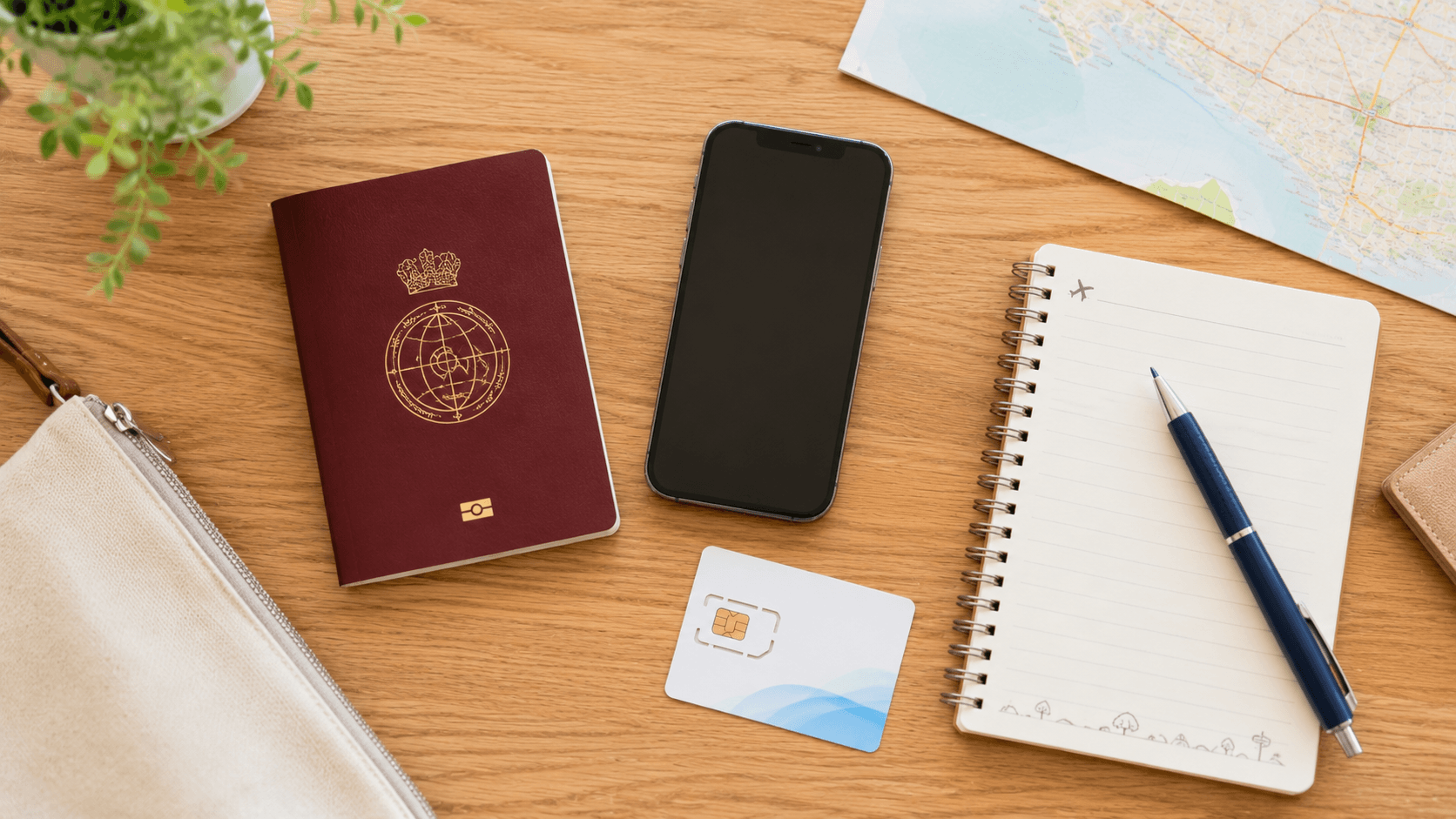
The setup is easier at your own table than at an airport counter
Still on the fence? Run yourself through these three.
- Recent phone, traveling solo or as a couple → go eSIM. Buy it at home, install it at home, flip it on at the airport. Nothing to collect, nothing to give back.
- Family or group travel, or a phone that can’t take an eSIM → go pocket Wi-Fi. One unit covers everyone’s phones plus the tablet the kids are watching on the train, and you’re only managing a single device.
- You’d rather decide once you’re on the ground → you can generally pick up a SIM or a pocket Wi-Fi device in the arrival areas of major airports such as Narita, Haneda, and Kansai. Staffed counters and vending machines are both common. Opening hours vary by location, though. A late-night or early-morning landing may leave the vending machines as your only option, and a busy travel season may leave you in a line.
If you’re traveling light and short on patience, start with an eSIM. It has the fewest moving parts once you land. Here are a few services worth a look.
Recommended eSIM & booking services for trips to Japan
An eSIM writes your data plan onto a chip that’s already inside your phone. Nothing ships and nothing arrives late. You sign up and install through an app or website before you leave, then switch your line over once you’re in Japan. That’s the entire arrival routine.
Most travel eSIMs are data-only, with no calls and no SMS. That’s fine for maps, messaging apps, and the park apps. But if you’ll need SMS verification, for a ride-hailing app or to confirm a hotel booking, choose a plan that comes with a phone number instead. As a rough daily guide, count on around 0.5 to 1 GB a day for maps and social media. Make it around 2 to 3 GB a day if you’re posting lots of photos or watching video.
Two things to confirm before you commit. Your phone hardware has to support eSIM, and the checklist below shows how to tell in about ten seconds. Also, plans advertised as unlimited sometimes carry daily caps or slow down past a threshold. Coverage can differ by device and location too, so check the current data allowance, speed policy, and coverage area on each provider’s own site.
SPONSORED | A global data eSIM, set up before you fly
Airalo
An app-based eSIM covering a long list of countries, with the whole flow (buy, install, activate) in English. Set up your Japan data plan at home and it’s live the moment you land.
Want to see a few options next to each other first, including pocket Wi-Fi? A booking platform is the easier place to browse.
SPONSORED | Compare eSIM and pocket Wi-Fi in one place
KKday
A travel booking platform that lists eSIMs, pocket Wi-Fi rentals, and local experiences side by side. Useful when you want to weigh several Japan data options against each other before deciding.
Selection and pricing differ between the two big platforms, so it’s worth opening both.
SPONSORED | Data plans and attraction tickets together
Klook
The other major booking platform alongside KKday, covering eSIMs and pocket Wi-Fi as well as activities and attraction tickets. Handy if you want your data and your park tickets in the same place.
Next, let’s make sure your phone is actually ready for one.
Pre-departure checklist
Four things to get done at home, so nothing has to be solved in an arrivals hall.
- Confirm your phone supports eSIM: Open your phone’s dialer and enter
*#06#. If an EID number appears, that’s a good sign your device can run an eSIM. You can also look under Settings → General → About on an iPhone, or “About phone” on Android. - Check your SIM lock status: A phone still locked to your home carrier won’t accept another operator’s SIM or eSIM. In your settings, look for wording along the lines of “No SIM restrictions” or “SIM unlocked”. If it’s locked, sort that out with your carrier before you fly.
- Buy and install the eSIM while you’re still home: Doing the sign-up and install on familiar Wi-Fi means the only thing left after landing is a single toggle. It also means any hiccup happens where you have time to deal with it.
- Switch your line over after you arrive: Once you’re in Japan, turn on the installed plan in your settings and you’re connected. With many eSIMs the day count starts when you first connect locally, so activate on the day you actually want it running.
And if it turns out your phone can’t take an eSIM, nothing is lost. A pocket Wi-Fi rental or a physical SIM at the airport gets you to the same place.
Frequently asked questions (FAQ)
The questions travelers ask most often before they fly.
Q. My phone doesn’t support eSIM. What now?
Rent a pocket Wi-Fi device, or buy a physical SIM card at the airport. Pocket Wi-Fi is the friendlier of the two if you’re not traveling alone, since one unit connects several devices at once. A physical SIM keeps you down to a single device, but your phone has to be SIM-unlocked first.
Q. Do I need a Japanese phone number, or is data enough?
For sightseeing, data alone is usually enough. Maps, messaging, and the park apps all run on data. The exception is SMS verification, which comes up with things like ride-hailing app registration and some booking confirmations. If you expect to need that, pick a SIM or eSIM plan that includes a phone number rather than a data-only eSIM.
Q. Can I just sort this out at the airport when I land?
Generally yes. Major airports such as Narita, Haneda, and Kansai have counters and vending machines in the arrival areas for SIMs and pocket Wi-Fi. Opening hours vary by location, so a late-night arrival can leave you with vending machines only, and peak seasons can mean a wait. If you want certainty, buying an eSIM before you leave is the safer route.
Q. Is there free Wi-Fi at Tokyo Disney Resort, and do I need a password?
Yes, and no password is needed, but the limits matter. Tokyo Disney Resort offers free Wi-Fi to all guests, and instead of a password you register with an email address or sign in with a social media account. At Tokyo Disneyland the coverage is limited to the area around the Park Main Entrance and Main Street House. Each session lasts up to 15 minutes, and there is no on how many times a day you reconnect. That is fine for a quick check on the way in. It is not the connection your park day should run on. Source: Tokyo Disneyland free Wi-Fi, as of August 2026.
Q. Is free Wi-Fi safe to use in Japan?
Japan’s Ministry of Internal Affairs and Communications warns that without the right precautions, what you send over a wireless network can be read by others. Its short manual for public Wi-Fi users gives three habits. Check the access point you’re connecting to. Make sure you’re on the correct URL and that it’s using HTTPS. And turn off file and folder sharing on your device. Treat free Wi-Fi as a convenience rather than your main connection.
Q. How much data do I actually need per day?
It depends on how you use your phone. As a guide, around 0.5 to 1 GB a day covers maps and social media, while around 2 to 3 GB a day suits posting lots of photos or watching video. Picking a plan with a little headroom for your trip length takes the running-out worry off the table. Remember that unlimited plans can still have daily caps or speed limits, so check the fine print.
Summary | Sort your connection out once, then stop thinking about it
A trip to Japan’s theme parks runs a lot smoother when the connection question is already answered. The recap:
- Disney, USJ, and LEGOLAND all run the day through their apps, so at the parks being online is part of the plan, not a luxury
- The Tokyo Disney Resort app needs a MyDisney Account for certain functions, and the official site says it isn’t compatible with some devices, such as tablets and iPads
- At USJ, register your admission ticket’s QR code in the app before you enter the park, and you can register your whole group’s tickets in one go
- LEGOLAND’s app plans your day, shows live queue times, and sells tickets, and the official page states internet access is required
- Park Wi-Fi at Tokyo Disneyland is entrance-area only and runs in 15-minute sessions, which is why it works as a backup and not as your main connection
- eSIM for a recent phone and a small party; pocket Wi-Fi when you’re sharing across a family or working with an older device
- Check
*#06#and your SIM lock status before you fly
Specs, plans, and coverage change, so confirm the details on each official site before you sign up. Do the setup while you’re still at home, and your phone stops being one more thing to manage. It’s just there, working, the moment you look up and wonder where to head next.
More English guides on Tabibito Port
- Tokyo Disney Language & App Guide — what the official app covers in English, and what it doesn’t
- Tokyo Disneyland crowd calendar — pick a quieter day before you lock in your dates
- Universal Studios Japan crowd calendar — useful when timed entry tickets are your main worry
- LEGOLAND Japan crowd calendar — quieter days for a park aimed at younger kids
- All travel guides & crowd calendars — the full English index
Sort the connection first, then the dates. Both are easier to fix at home than at the gate.
Tokyo Disney Resort®, Tokyo Disneyland®, and Tokyo DisneySea® are registered trademarks of Oriental Land Co., Ltd. and Disney affiliates. USJ® and Universal Studios Japan® are registered trademarks of NBCUniversal / USJ LLC. LEGOLAND® and LEGO® are registered trademarks of the LEGO Group. This is an independently operated information site and is not an official partner of any of these companies.
※ The images in this article were created using generative AI.